Stop Saving Reels You Never Watch
Read Time: 6 Minutes
You save a reel because the hook stopped you. You tell yourself you’ll study the reel later.
You never do.
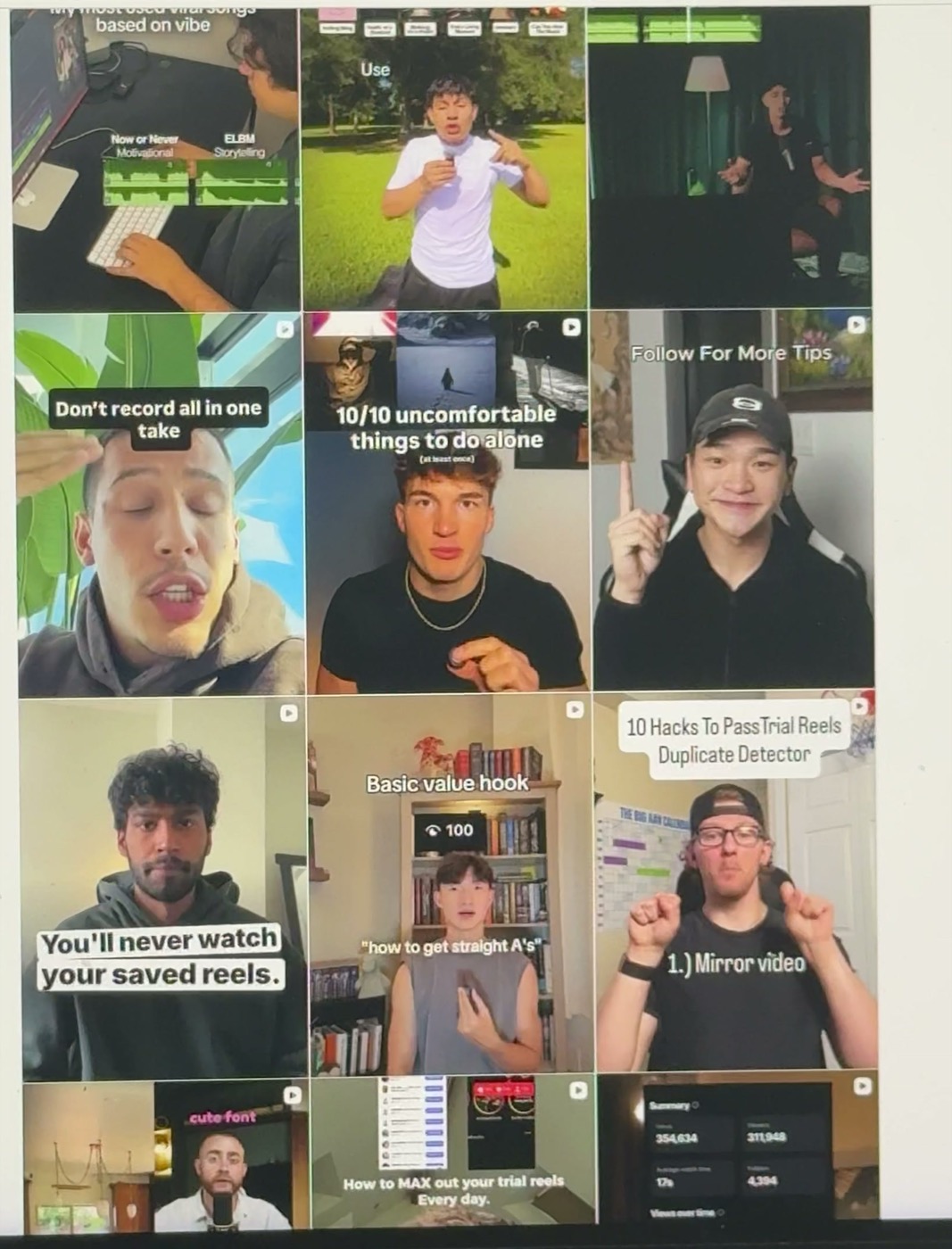
This was my Instagram saved folder. A wall of great hooks and formats, and I almost never went back to them.
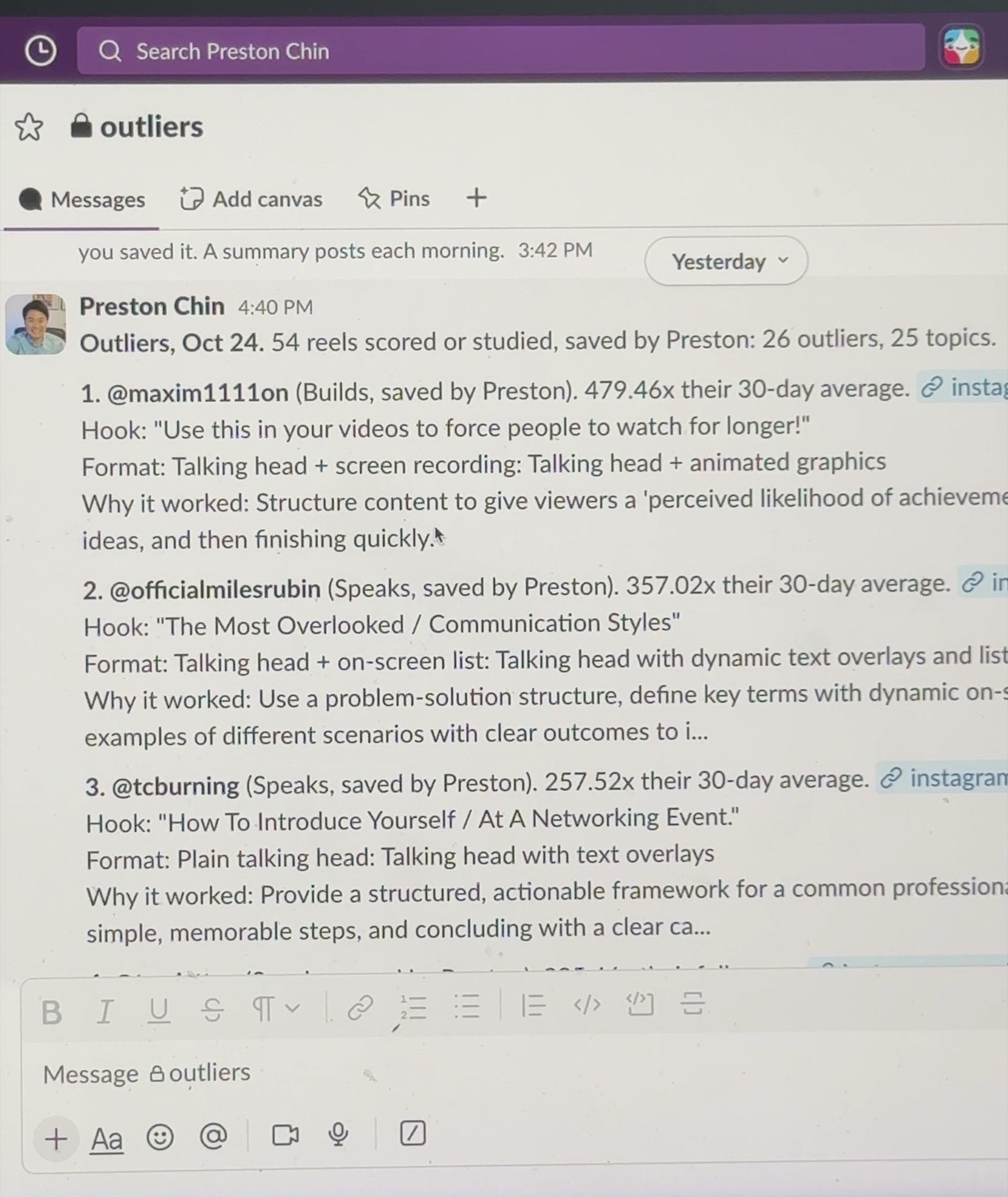
So I stopped saving reels on Instagram. Now I send each link to myself in Slack. Every morning at 7 am, an AI agent reads those links, checks which reels beat the creator’s normal views, watches each one with sound and sends me a breakdown.
On October 24, the first full run scored or studied 54 reels I’d sent myself since August 20. 26 of them were outliers. One had 479 times its creator’s 30-day average.
Below is how to build the same thing, plus the prompt I’d paste into an agent to set everything up.
What you’ll build
You send a reel link to yourself in Slack. This is the only new habit.
Every morning, the agent does 4 things:
- Finds your new links. The agent reads your Slack messages to yourself from the last 3 days.
- Checks if the reel is an outlier. A reel counts when its views are at least 5x the creator’s followers, or at least 10x their average views over the last 30 days.
- Studies the video. Gemini watches the reel with sound and writes down the on-screen text hook, the spoken hook, the visual hook, the edit format, the pacing, the captions and the call to action. The agent grabs the first frame plus 3 key moments as screenshots.
- Tells you how to use the reel. One line on the move worth borrowing, and one video idea for your own niche.
Then the agent posts one summary in Slack and links a Google Doc with the full study.
This post focuses on the reels you already chose. For every outlier from one competitor’s whole feed, read How I Turn Claude Into a Social Media Strategist.
What you need first
- A paid Claude plan with Claude Code. The morning run uses routines, which run Claude on a schedule in the cloud. Routines need Pro or higher.
- Slack. The free plan works. You need a workspace and your Slack connected to Claude.
- A GitHub account. Free. The agent keeps its instructions in a private project there, so the morning run has something to open.
- A Scrape Creators key. Scrape Creators pulls the views, follower count, the creator’s recent reels and the video file. Scrape Creators charges in credits, and each reel you study uses about 5. The 100 free credits cover about 20 reels. After the free credits, $47 buys 25,000 more, about 1 cent a reel.
- A Google AI Studio key for Gemini. Gemini watches the video with sound. The Flash models are free at this volume.
Plan on about an hour. Most of the hour is you clicking “Allow” while the agent works.
Step 1: Save reels to Slack instead of Instagram
On your phone, tap Share on the reel, then Copy link. Open Slack, go to the message thread with yourself (your own name at the top of your direct messages), and paste.
Add a few words after the link when you know why you saved the reel. “Builds, love the split screen.” The agent keeps your note next to the study.
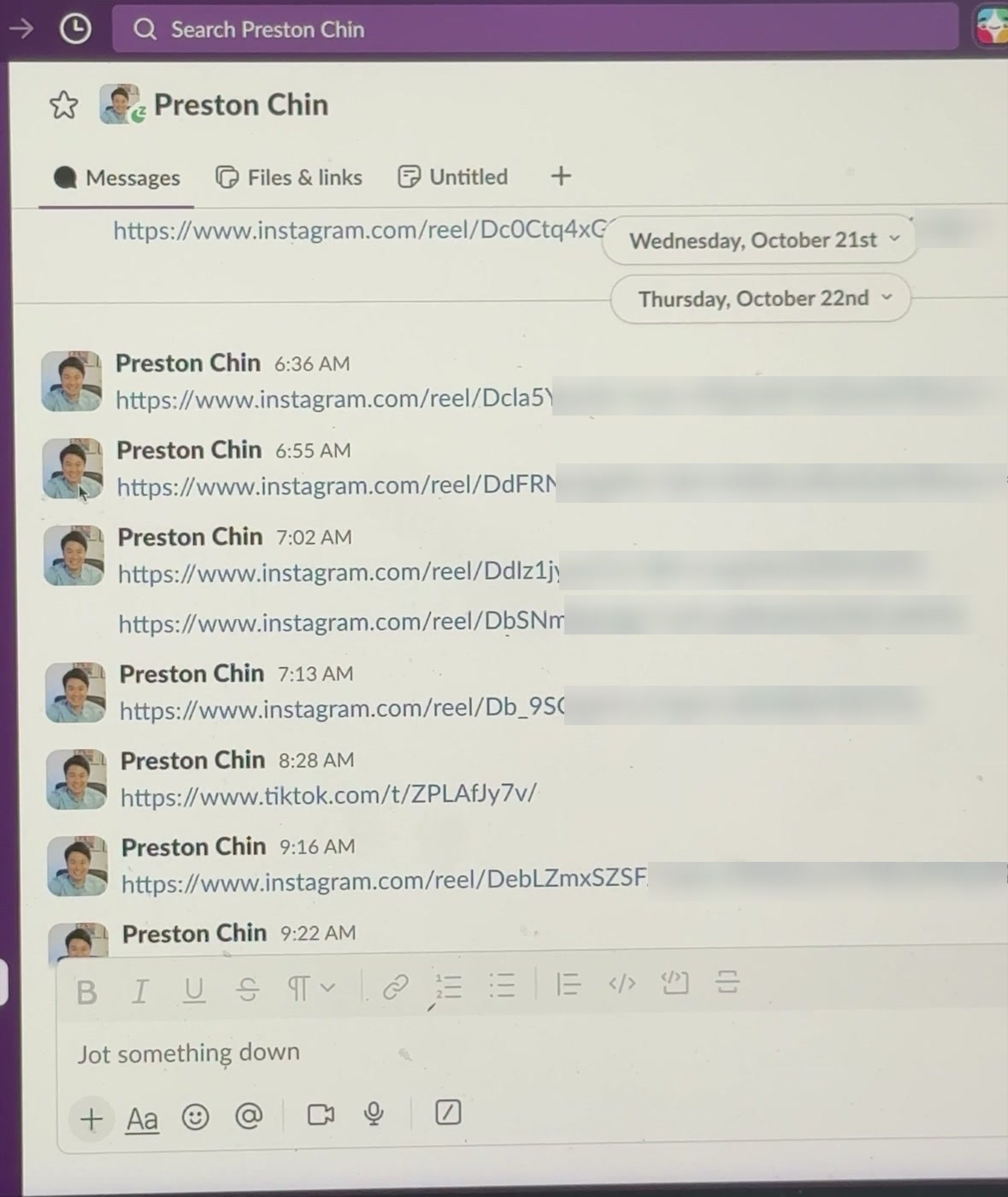
TikTok links work too.
Step 2: Get your 2 keys
Sign up at Scrape Creators and copy your API key from the dashboard.
Then open Google AI Studio, sign in with Google and click Get API key.
Keep both keys handy. You’ll paste them into Claude Code’s settings, never into the chat or a file. The prompt below walks you through where they go.
Step 3: Paste the prompt and test one reel
Open the Claude desktop app, click the Code tab and paste the prompt from the end of this post. Codex or any coding agent handles the build too. The morning schedule in Step 4 runs on Claude.
The agent checks your accounts first, then builds one piece at a time. The agent creates and names every file. You don’t need to read them.
Before anything runs on a schedule, the agent tests public reels you pick.
The breakdown gets sharper when the agent knows who you make videos for. I tag every link “builds” or “speaks” so my 2 brands don’t get mixed up. Teaching an AI your audience, topics and style once, then reusing the same knowledge everywhere, is the idea behind Melda OS, the content system I’m building for creators.
Step 4: Run the study every morning
Once the test passes, the agent helps you create a routine in Claude Code. Mine runs at 7 am Pacific.
A routine runs in the cloud, so your laptop stays closed. The routine needs 3 things, and the agent shows you where each one lives:
- The Slack connector turned on, so the routine reads your links and posts the summary.
- Your 2 keys saved in the routine’s settings.
- Network access to Scrape Creators, Google, Instagram’s video server and TikTok’s.
Ask the agent to post the summary in a private channel. I made one called #outliers. A message to yourself won’t show as unread, and a channel does.
Testing with sample public reels
Pick 3 public reels you saved this month:
- One you’re sure blew up for the creator.
- One with normal views for them.
- One TikTok.
A good result for the first reel looks like this. Here’s one study from my Doc, a reel by @heaheelee:
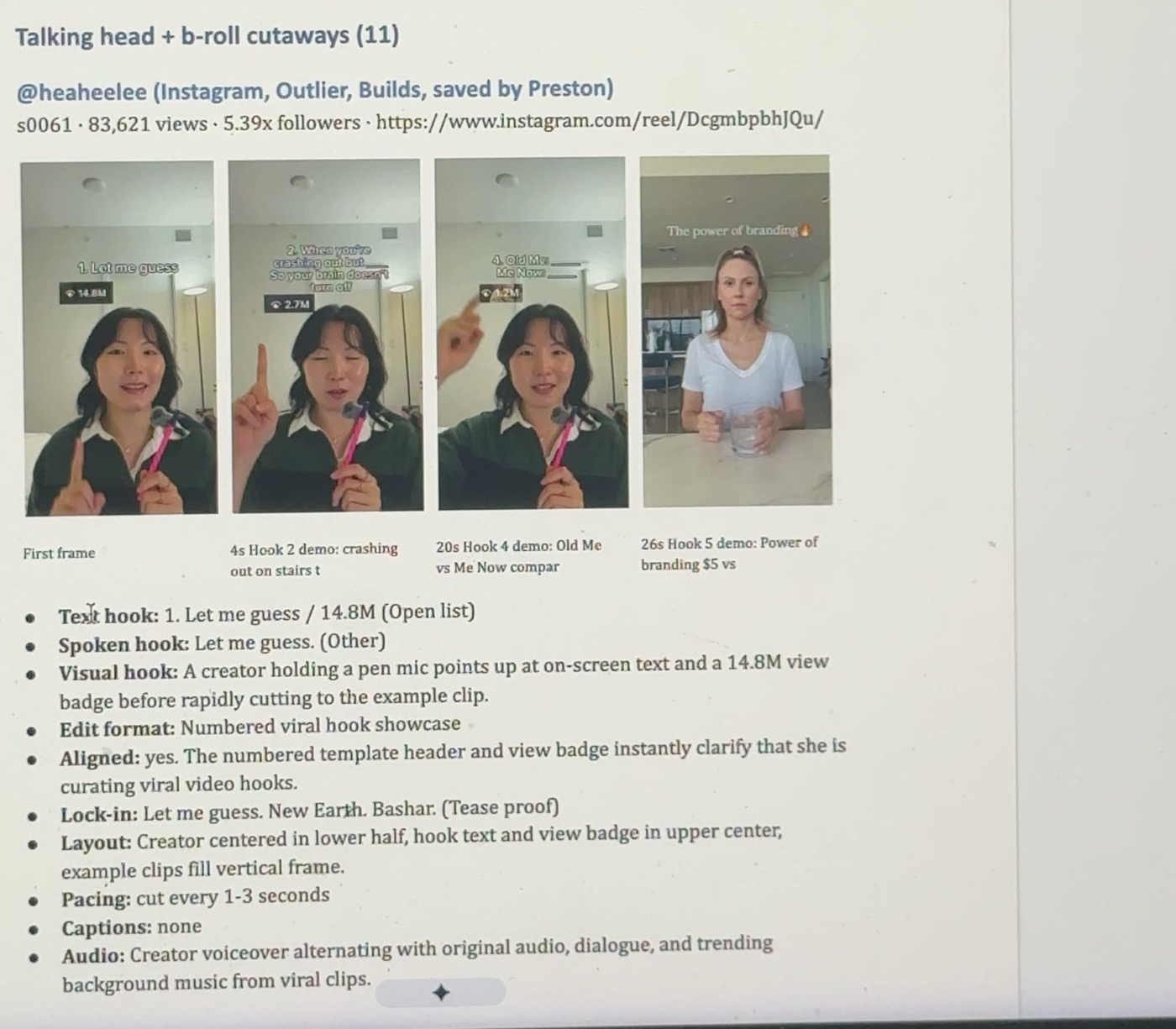
- 83,621 views, 5.39x her followers, so the reel counts as an outlier.
- Text hook: “1. Let me guess / 14.8M.”
- Edit format: numbered viral hook showcase, cutting every 1 to 3 seconds.
- 4 screenshots with the time each one happens.
Check the second reel. You want “not an outlier” with the math shown. If the creator posted fewer than 3 reels in 30 days, you’ll see “insufficient evidence.” Good. The agent should never guess.
Then open each screenshot. If the text hook in the summary doesn’t match what’s on screen in the first frame, tell the agent. Quotes need to be exact.
Once the studies look right, pick a hook you like and rewrite the hook for your topic. My 100 hook templates help with this step.
3 problems you’ll likely hit
The run doesn’t reach a website. The cloud blocks most sites until you allow them. If the agent reports a code of 000 for a site, add the site to the routine’s allowed network list. Any other code, like 403, means the site answered, so keep going.
Gemini says you’re out of requests. Each free Flash model has its own daily limit, and Google retires old model names. Tell the agent to try the next Flash model in line when one runs out. Mine falls back through 3.
A morning summary skips links you sent. Slack hands long histories back in pages. If the agent summarizes a page instead of copying the whole page, links drop. Tell the agent to copy every page in full and count the Instagram and TikTok links before moving on.
I’ll show the rest of my system live, from idea to approved post, at my free masterclass.
The prompt
Copy the whole prompt into Claude Code or Codex.
I want a daily system to study the Instagram reels and TikToks I save. I’m not technical. Explain each step in plain words, do one step at a time, and wait for me before moving on. You create and name every file and folder. Never ask me to edit a file myself.
How the system works: I send reel and TikTok links to myself in Slack, sometimes with a few words about why I saved the reel. Every morning, a scheduled run reads my links from the last 3 days, skips any link already studied, and for each new one:
- Uses Scrape Creators to get the views, the creator’s follower count, their reels from the last 30 days and the video file. A reel is an outlier when views are at least 5x followers, or at least 10x the creator’s average views over the last 30 days. Leave the reel out of its own average. If there are fewer than 3 reels to average, say “insufficient evidence.” Never guess a number.
- Sends the video to Gemini (a free Flash model, falling back to the next Flash model when one runs out) and returns: the exact on-screen text hook in the first 3 seconds, the exact first 1 to 2 spoken sentences, what’s on screen in the first 2 seconds, the 2 to 4 lines right after the hook, the edit format, layout, pacing, caption style, audio, the call to action, one sentence on the move for me to borrow (in my words, never copying their lines), and one video idea for my niche. Quote words exactly. Never invent.
- Grabs the first frame and up to 3 key moments as screenshots.
- Makes one Google Doc for the day with every study and its screenshots, grouped by edit format.
- Posts one short summary to my Slack channel #outliers: each outlier with the creator, the multiple, the hook, the format, why the reel worked and the Doc link.
Before you build anything:
- Check what I have: a paid Claude plan with Claude Code, Slack, a GitHub account, a Scrape Creators key and a Google AI Studio key for Gemini. Walk me through getting anything I’m missing.
- Ask me what I make videos about and who they’re for, so the video ideas fit my niche.
- Tell me how you’ll keep my keys secret. They never go in the chat or in a file.
Then build the system in a private GitHub project. Ask me before you install anything, and tell me what each tool does.
Test before scheduling: ask me for 3 public reels (one big hit, one normal, one TikTok). Run all 3, show me the results and the Doc, and fix anything I flag.
Then help me create a Claude Code routine to run every morning at 7 am my time, with the Slack connector on, my keys saved in its settings, and network access to Scrape Creators, Google, Instagram’s video server and TikTok’s. Do one run while I watch.
When you finish, tell me roughly what each run costs in Scrape Creators credits and in dollars and what to check if a morning summary doesn’t show up.
Preston
Get more resources from me
- Work with me to build a content system around your business and your audience.
- Join the Melda OS waitlist for the content system I’m building for creators.
- Build Your Content Research Assistant With Codex, to track outliers across a dozen creators every day.
Get a new build-with-AI guide every week
Weekly playbooks on prompting, agents, and content systems — free.
You're in. First email lands shortly.