I 20X'd My Content As An Automation Newbie
Two weeks ago I had zero automation experience. I couldn’t tell you what an API was. I’d never heard of n8n.
Today I have a system that takes a single coaching call transcript and spits out five short-form video scripts. Formatted, themed, ready to record.
I went from producing about 5 scripts a week (manually, painfully) to generating over 100 in a single afternoon. Not all of them are gold. But the hit rate is way higher than I expected.
Let me walk you through how I built it and the two principles that made it work.
The Problem
I run coaching calls every week. Group sessions, 1-on-1s, workshops. Each one is 45-60 minutes of me teaching frameworks, giving feedback, working through real problems with real people.
That’s a goldmine of content. Every call has five or six moments that would make a great short-form video. But I never had the bandwidth to go back through the recordings, pull out the best bits, and write scripts around them.
So most of that material just sat there. Unused. Meanwhile I was spending hours every week staring at a blank doc trying to come up with new video ideas from scratch.
Dumb.
Principle 1: Understand Your Workflow Before You Automate It
This is the mistake I almost made. I got excited about n8n after watching a few YouTube tutorials and nearly jumped straight into building.
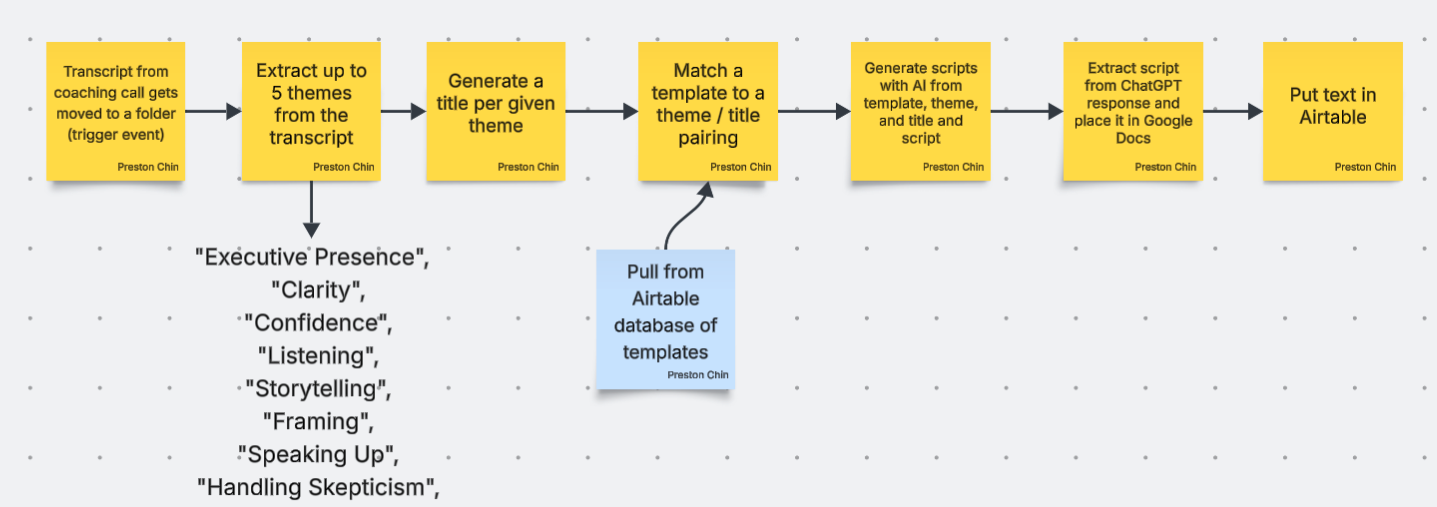
But I stopped myself. I spent a full day doing the process manually first. Start to finish. I took one coaching transcript, read through it, highlighted the best teaching moments, wrote five scripts from those moments, and saved them.
Then I did it again with a second transcript. And a third.
By the third time, I could see the pattern. My brain was doing the same five things every time:
- Cleaning up the raw transcript (removing filler, fixing speaker labels)
- Scanning for “teaching moments” where I explained a framework or gave pointed advice
- Picking the top five moments based on how punchy and useful they were
- Writing a short-form script around each moment (hook, setup, payoff)
- Saving each script with tags so I could find them later
Once I had that mapped out, I could build the automation. Not before. If you automate a process you don’t understand, you automate the wrong thing.
Principle 2: Use AI as a Teaching Partner
I don’t know how to code. I know enough to be dangerous with no-code tools, but that’s it.
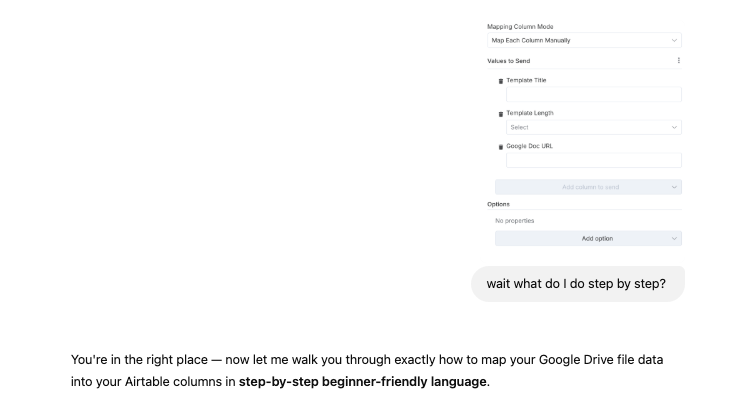
So I used ChatGPT as my programming tutor. Not to write the whole system for me. To teach me what each piece does.
Every time I got stuck, I’d describe what I was trying to do and ask ChatGPT to explain the concept first, then show me the implementation. The difference matters. When you just copy-paste solutions, the next time something breaks you’re helpless. When you understand what each node in your workflow actually does, you can debug it yourself.
I probably spent 20 hours building something that an experienced developer could have built in 3. But now I actually understand the system I built. I can modify it, extend it, fix it when it breaks. That’s worth the extra 17 hours.
The Stack
Here’s what I’m using:
n8n for the automation workflow. It’s open-source, visual (drag-and-drop nodes), and free to self-host. I use the cloud version because I didn’t want to mess with servers.
ChatGPT API for the AI processing. Each step in the workflow sends a specific prompt to GPT-4. Not one giant prompt. Five separate calls, each doing one thing well.
Google Docs as the input. My coaching calls auto-transcribe into Google Docs via Otter.ai. The automation pulls from a specific Google Drive folder.
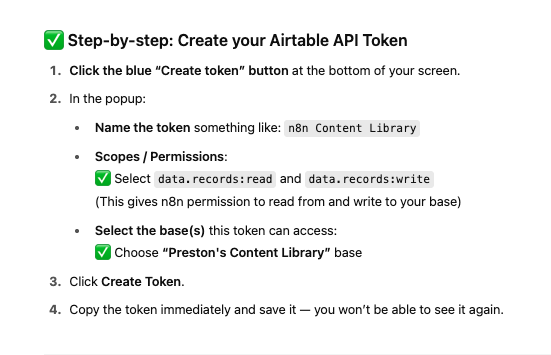
Airtable as the output. Each script lands in an Airtable base with columns for the hook, the body, tags, source transcript, and a status field so I know what I’ve recorded and what’s still in the queue.
How It Actually Works
The workflow runs on a schedule. Every Monday morning it checks the Google Drive folder for new transcripts.
When it finds one, the first AI call cleans the transcript. Removes filler words, fixes formatting, labels speakers correctly.
The second call scans the cleaned transcript and identifies teaching moments. It returns a list of 8-10 candidates with timestamps and brief descriptions.
The third call ranks those candidates and picks the top five based on criteria I defined: specificity, emotional resonance, and whether the advice is actionable.
The fourth call writes a short-form script for each of the five moments. It follows my script template: hook (pattern interrupt or bold claim), setup (context and tension), payoff (the framework or insight). Each script is 150-250 words. About 60-90 seconds when read aloud.
The fifth call formats everything and pushes it to Airtable with the right tags and metadata.
Total runtime: about 4 minutes per transcript. I generate 5 scripts from each call. I run 3-4 calls a week. That’s 15-20 scripts every Monday morning before I’ve finished my coffee.
What I’ve Learned So Far
The scripts aren’t perfect out of the box. Maybe 60% are good enough to record with minor tweaks. Another 25% need a solid rewrite of the hook or the payoff. The remaining 15% I toss.
But even at a 60% hit rate, I’m producing more usable scripts in one automated batch than I used to produce in an entire month of manual work.
The bigger win is creative energy. I used to spend my best hours of the day writing scripts from scratch. Now I spend those hours reviewing and polishing scripts that are already 80% there. Different kind of work entirely. Less draining. More fun.
A few things I’d do differently if I started over:
I’d spend even more time on the manual process before automating. Three rounds wasn’t quite enough. Five or six would have given me a tighter prompt.
I’d version control my prompts from day one. I’ve already iterated on them a dozen times and lost track of which version produced which batch.
And I’d set up a feedback loop sooner. Right now I manually note which scripts performed well after I record them, but I want that data flowing back into the system automatically so the AI learns what works for my audience.
That’s next.
The Takeaway
You don’t need to be technical to build automations. You need to understand your own workflow deeply enough to describe each step. After that, the tools do the heavy lifting.
20 hours of building. 4 minutes of runtime. 100+ scripts from a backlog of transcripts I was never going to touch otherwise.
If you’re sitting on a pile of long-form content and manually grinding out short-form scripts, there’s a better way.
Preston
Get a new build-with-AI guide every week
Weekly playbooks on prompting, agents, and content systems — free.
You're in. First email lands shortly.